Quiet notifications
Booked. Canceled. Rebooked. One email.
A client fat-fingers their email at 11pm, cancels, books again with the right address, then moves it an hour. Most tools send you five notifications for that. You get one: the booking that actually stands.
Included on the free plan. No credit card.
Your own calendar shouldn't spam you.
Every scheduling tool treats each event as an email: book → email, cancel → email, rebook → email. One indecisive attendee turns your phone into a slot machine, and after the third buzz you stop reading booking notifications at all.
That's the real cost — not the noise itself, but the day you tune it out and miss the booking that mattered.
How it works
- 1
Events queue instead of firing
Each host notification holds briefly before sending, watching for related events from the same attendee.
- 2
Related events merge
Book + cancel + rebook from one person collapses into a single cluster with a final state.
- 3
One email describes the outcome
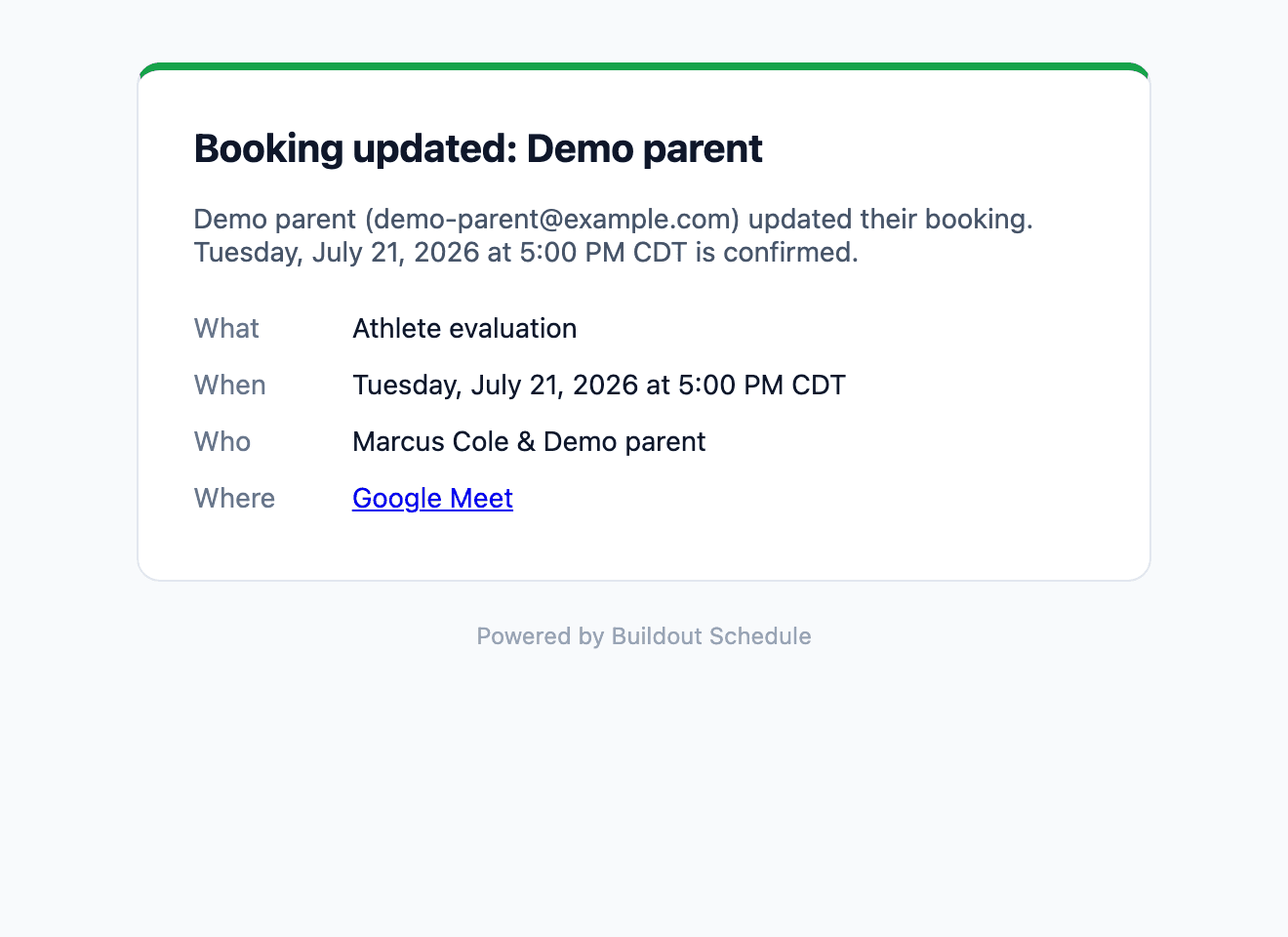
“Booking updated: the Tuesday 5:00 PM is confirmed.” The mistyped address and the abandoned duplicate never reach you.
- 4
Your calendar stays instant
The dashboard and calendar sync in real time — the debounce only guards your inbox.
Build yours in 5 minutes.
Pick a template, swap in your details, publish. Free plan, no credit card.
Goes well with
Common questions
How does the collapse work?
Host notifications hold for a short window before sending. If the same attendee books, cancels, or fixes a typo inside that window, the events merge and one email goes out describing the final state.
Will I miss anything?
No. Every event is still on your dashboard and your calendar the moment it happens — the collapse only applies to the email. What lands in your inbox is the truth after the dust settles.
What if someone books and cancels entirely?
Then the emails cancel out and you get the cancellation, not both. A booking that no longer exists doesn't deserve two notifications.
Does the attendee still get instant confirmations?
Yes. Attendee emails send immediately — confirmation, reschedule links, calendar invite. The debounce is for you, the host, because you see every event and they see only theirs.
What does the collapsed email look like?
One subject — “Booking updated” — with the confirmed time, the attendee, and the meeting link. The .ics attachment updates your calendar to the final state.