QR + one-tap share
Half your prospects meet you in person first.
Trade shows, job sites, sidelines, open houses — the booking tools were built for email signatures. A QR code on your card, sign, or booth puts the whole booking page one camera-tap away. Every card and schedule comes with one.
Included on the free plan. No credit card.
Try it — the product's actual share sheet
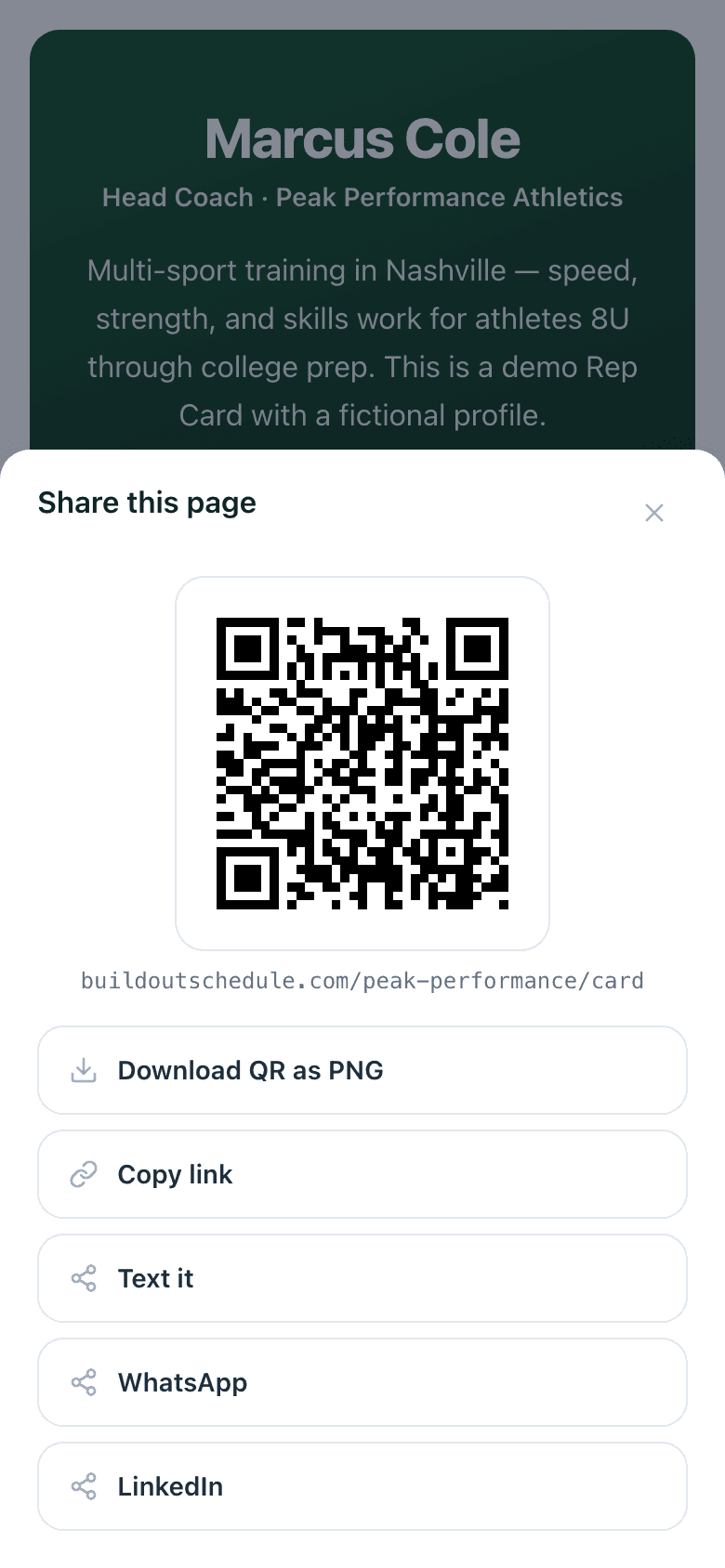
This opens the same sheet every card and schedule comes with, pointed at the live demo Rep Card.
“I'll text you my link” is where bookings go to die.
You meet someone at a booth or a job site. They're interested now. The old flow: get their number, text a link later, hope they open it after the interest cooled. Every hour between the handshake and the link costs you bookings.
A printed QR closes that gap to zero — they scan, they see your page, they book while you're still standing there. And when the conversation happens on the phone instead, the same sheet texts or WhatsApps the link in one tap.
How it works
- 1
Open the share sheet
One tap from the editor header or the floating button on your public page.
- 2
Download the QR
800×800 PNG with clean padding — drops straight into a business-card or yard-sign layout.
- 3
Put it where people stand
Trucks, booths, signs, gym walls, the back of your badge. The code points at your page, so edits never break it.
- 4
Or send it digital
Copy, text, WhatsApp, LinkedIn, or the native share sheet — same button.
The share sheet, on the page itself.
Sharing isn't an owner-only feature. The public card carries a floating share button, so the parent who loves your program can send it to the whole team group chat — QR, text, or link.
Every channel tap lands in your analytics, so you can see which share paths actually turn into bookings.
Build yours in 5 minutes.
Pick a template, swap in your details, publish. Free plan, no credit card.
Goes well with
Common questions
Where does the QR code point?
At your Rep Card or Schedule Page — whichever you shared it from. Custom domain plans get the QR on your domain, so the code on your truck says yourbrand.com.
Can I print it?
Yes. Download it as an 800×800 PNG with white padding, sized for business cards, yard signs, flyers, and booth banners. There is also a print-asset QR endpoint for higher-resolution needs.
What share options are on the sheet?
QR with the URL under it, Download QR as PNG, Copy link, Text it, WhatsApp, LinkedIn — and the phone-native share sheet when the browser has one.
Can visitors share my page too?
Yes. The public card carries a floating share button, so a happy customer can text your card to a friend without hunting for your number. Those shares show up in your card's analytics.
Does a new QR break when I edit my page?
No. The code points at your URL, not a snapshot. Edit the page all you want — printed codes keep working.