The scheduling assistant that lives inside your inbox. CC it on any thread and it drafts the reply, proposes times, and books the meeting.
Every reply drafts from your own Gmail and waits for your approval. Booking pages included for everything else. Free plan, no credit card.
Or book a demo. It books on a Buildout Schedule page, naturally.
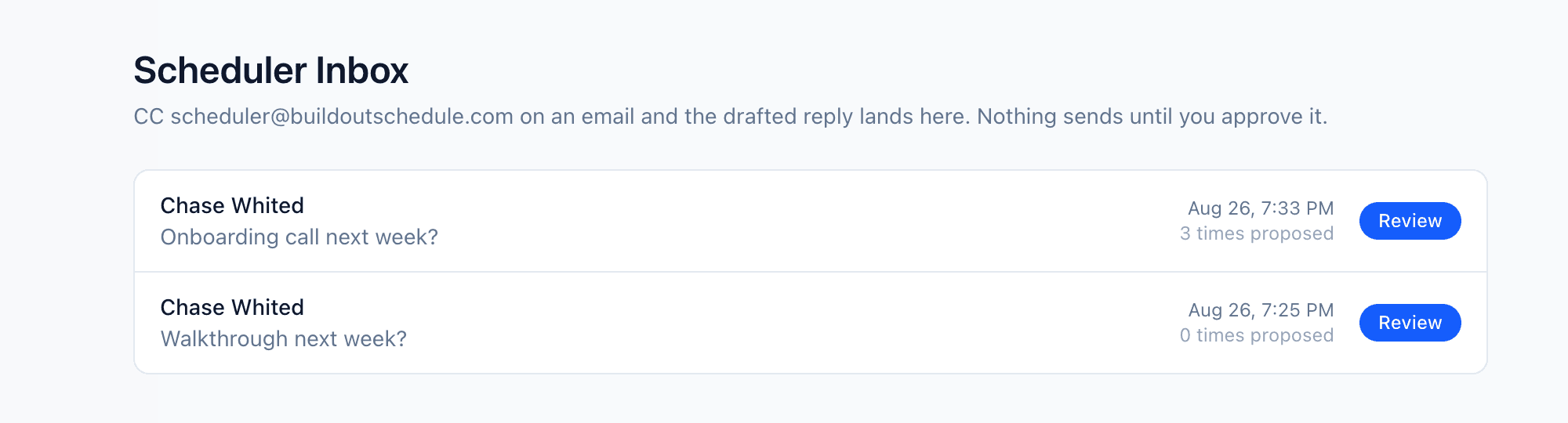
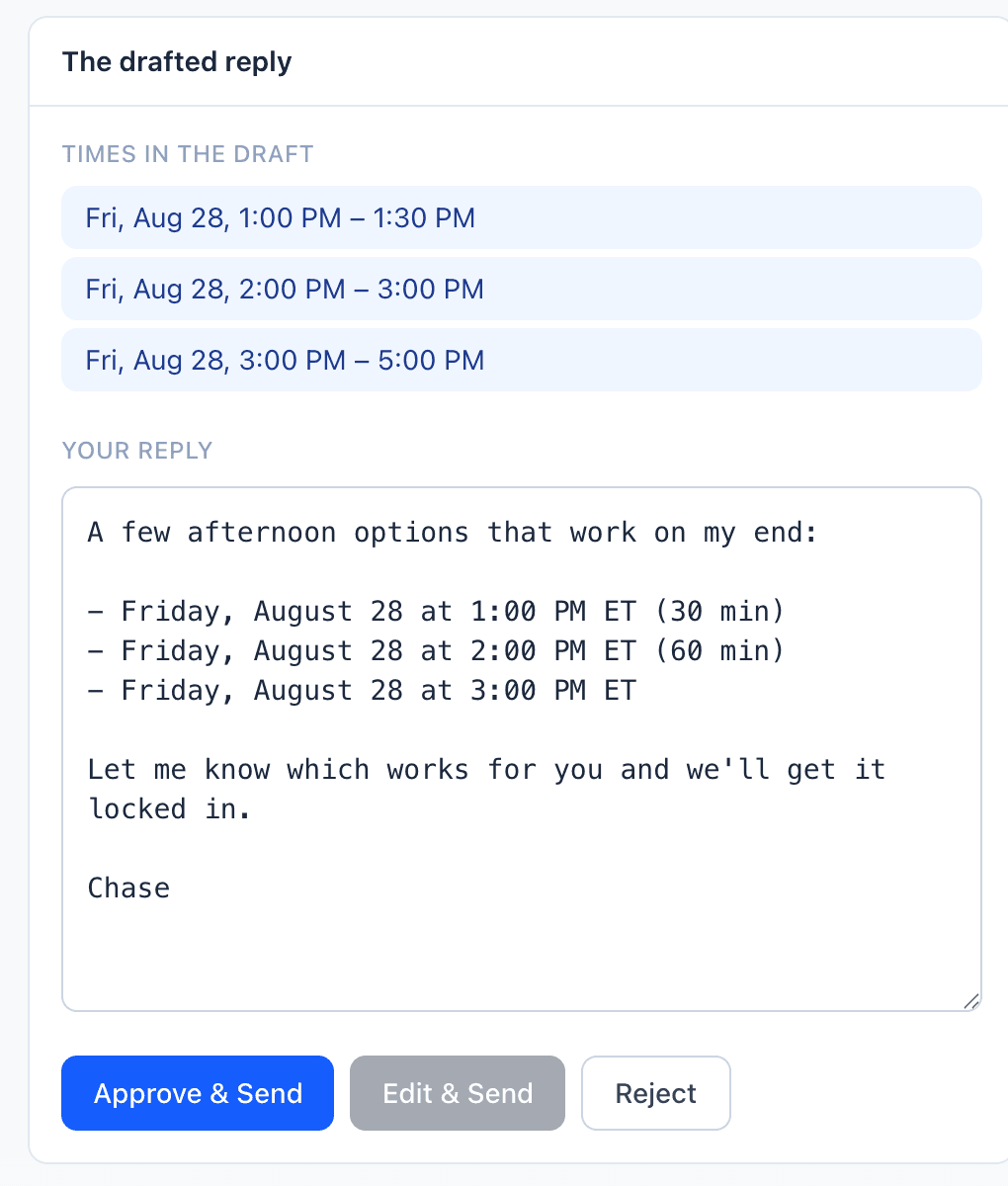
Every scheduling tool gives you a link and calls it done. The real work is the back-and-forth around the link. That is the part we taught the software to do.
Book the meeting inside the email thread.
- 01
Write the email you were writing anyway
A real thread with a real person. Nothing new to set up, nothing to install.
- 02
Put scheduler@ on the CC line
One address. BCC works if you would rather they not see it, and Gmail users can label the thread instead.
- 03
Approve the drafted reply
It proposes times that are actually open, in your voice. Nothing sends without your tap, and it sends from your own Gmail.
- 04
They pick. It books.
When they reply choosing a time, the meeting books itself: calendar invite with the video link, confirmation, reminders. You get the booked note.
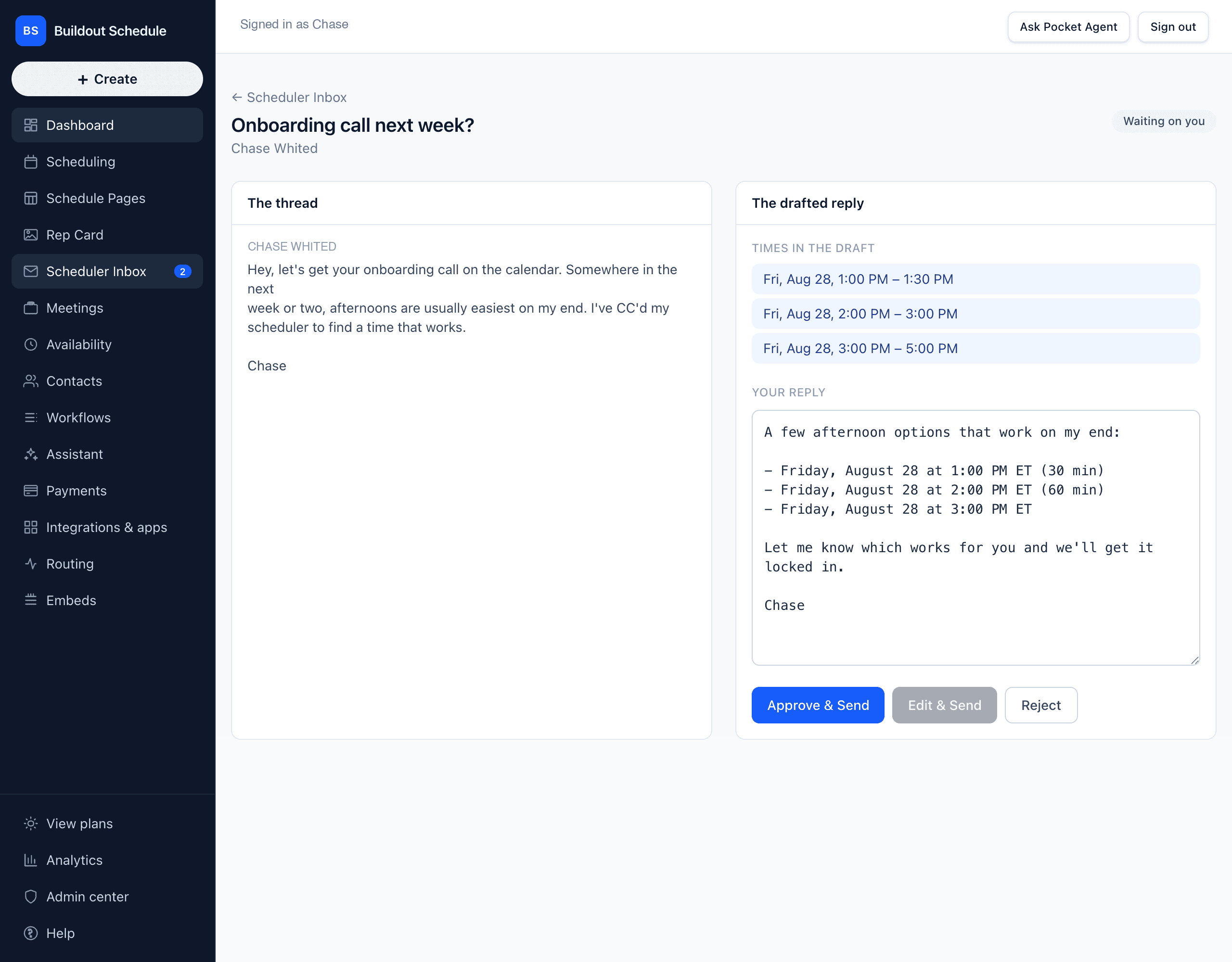
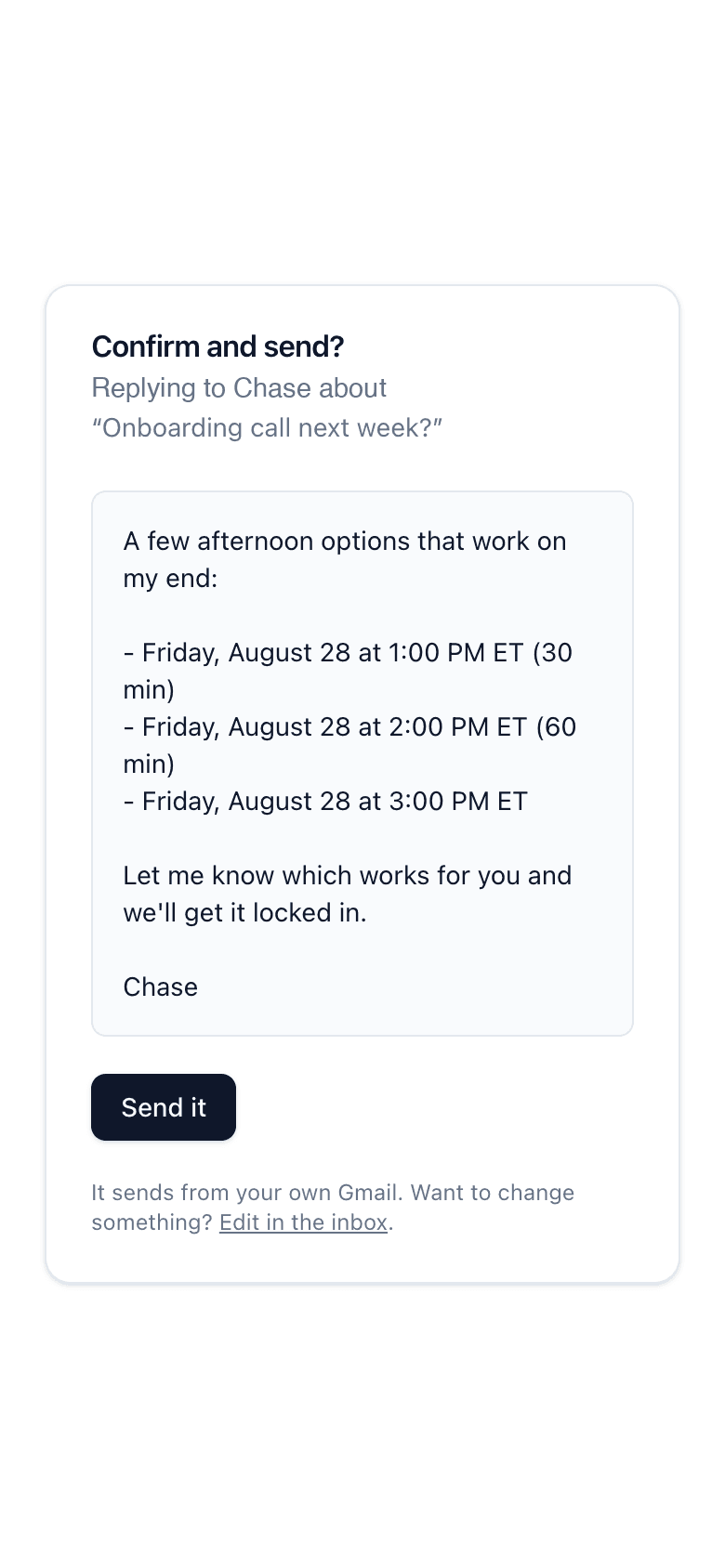
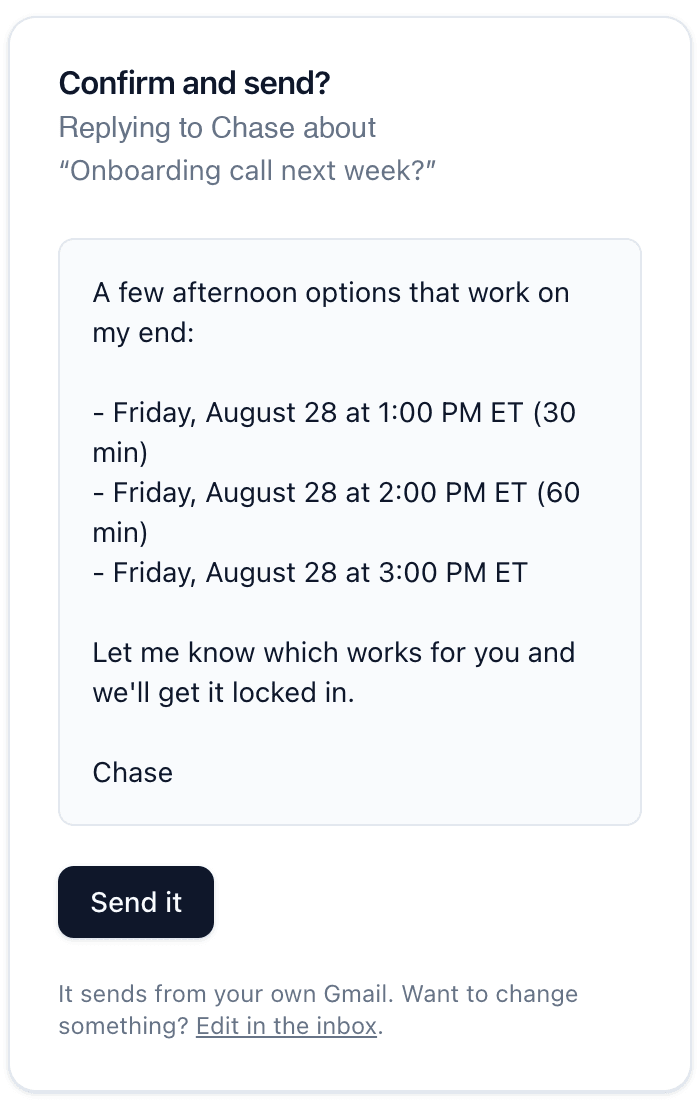
Approve it from the sidewalk.
Every draft comes with a one-tap approve link on your phone. Read the reply, tap send, done. The other side sees a normal email from you, not a bot, and every proposal waits for that tap. From there the booking makes itself when they answer with a pick.
One system. Three pages.
The event type people book. The Schedule Page that lists everything bookable. The Rep Card that sells you. Edit once, updated everywhere.
Event Types
The single bookable thing: duration, availability, buffers, intake, price. Every workflow hangs off it.
Schedule Page
Your whole lineup on one URL. Four layouts, six ways to group, one booking modal. Every booking still follows its own event type’s rules.
See how Schedule Page works →Rep Card
The landing page around you: face, proof, contact, booking. It can embed a whole Schedule Page with one block.
See how Rep Card works →Rep Card
Your booking link, upgraded.
Every workspace comes with a Rep Card, a real landing page that wraps your scheduling with the vCard, testimonials, case studies, and proof points a bare booking link leaves out. One login runs your calendar and your landing page.
- Prospects book without ever leaving the page
- “Save contact” puts you in their phone in one tap
- Testimonials and case studies with real numbers
- Your own subdomain or domain on paid plans
Marcus Cole
Head Coach · Peak Performance Athletics
Multi-sport training in Nashville: speed, strength, and skills work for athletes 8U through college prep. Parents book straight from this page.
Programs
Youth Speed & Agility (8U–12U)
Small groups. Footwork, sprint mechanics, game speed.
Middle School Strength (13U–15U)
Fundamentals first. Bar path before load.
College Prep
Testing numbers, recruiting film, combine readiness.
Ages
From parents
Athlete outcomes
D2 commit
Footballsigned
Demo athlete — OL
Class of 2026
6.42s
Baseball60-yard dash
Demo athlete — CF
Class of 2027
JUCO offer
Basketballaccepted
Demo athlete — PG
Class of 2026
Better Baseball Academy Schedule
Pick your night. Tap a session to book it.
Sunday
Tuesday
Wednesday
Schedule Page
Every event type. One URL.
Run classes, sessions, or a whole weekly program? A Schedule Page puts the lineup on one shareable page, grouped by day, program, age band, location, or instructor. Every tap opens the standard booking modal for that exact event type.
- Four layouts: stacked list, day columns, week grid, cards
- Visitors book without leaving the page
- Each booking runs its own event type’s workflow
- The owner edits it in the product, never a developer
0%
platform fee on payments
Booked and paid, in one step.
Charge for sessions right in the booking flow through your own Stripe account. We take nothing on top. A paid booking only exists after the payment confirms, refunds on cancel follow your policy, and recurring series bill as real subscriptions.
No booking dies quietly.
Cancellations are where a calendar leaks money. Every one here triggers a recovery: the waitlist gets the slot, the rebook drafts itself, and your inbox gets one update instead of five.
Waitlists claim the slot
The rebook drafts itself
Reschedules happen by reply
One email, not five
Your booking page has an API for AI agents.
Assistants and agents can check your availability and book you over MCP, and teams pointing whole fleets at the scheduler get a metered plan built for it. Early on purpose.
It runs inside other products, too.
Agencies and product teams put this same booking flow inside the systems they build for clients. If you are shipping software with scheduling in it, the pieces are here.
How many hours are you losing to meeting logistics?
Check what you still do by hand and put in a real week. The numbers do the arguing.
Which of these do you do by hand today?
- Hours per week
- 7.5
- Hours per month
- 30
- Hours per year
- 360
Figured at about nine minutes per meeting for each box you check.
The reminders, the reschedules, and the follow-up drafts are already Buildout Schedule's job. The CC line above takes the proposing. Recap notes are still on you.
Pocket Agent, built in.
Natural-language booking. Auto-reschedule when someone cancels. Follow-ups drafted for you.
Works how your business works.
Buffers between meetings, minimum notice, date overrides, intake questions before the call. Set the rules once and the booking page enforces them.
Your data stays yours.
Your bookings, your contacts, your call. Ask and you get a full export. No lock-in, no hostage tier.
Everything you need to get booked.
Booking pages, calendar sync, reminders, payments on every plan. The power tools live on Pro and Team, priced on the page, no sales call.
1:1 booking
Custom intake forms
Google + Microsoft calendar sync
Team scheduling
Routing forms
Custom branding
Buffers and booking windows
Reminders, email and SMS
Contacts, built in
Admin center
Your own domains
Analytics
Built around how your business books.
A trainer's 6am block and a law firm's docket are not the same scheduling problem. Pick your page.
How Buildout Schedule differs from the rest.
Traditional scheduling tools are single-event-per-link: one meeting, one page, nothing around it. Here is the honest side-by-side.
An AI you can CC that books meetings from your email threads
- Buildout Schedule
- Traditional scheduling tools
Every event type on one shareable page (Schedule Page)
- Buildout Schedule
- Traditional scheduling tools
A real landing page around your booking link (Rep Card)
- Buildout Schedule
- Traditional scheduling tools
Save-my-contact vCard in one tap
- Buildout Schedule
- Traditional scheduling tools
Funnel analytics per page and per event type
- Buildout Schedule
- Traditional scheduling tools
- Views at best
Pocket Agent reschedules for you
- Buildout Schedule
- Traditional scheduling tools
Waitlists that fill their own cancellations
- Buildout Schedule
- Traditional scheduling tools
Reminder emails
- Buildout Schedule
- Traditional scheduling tools
- Paid tiers
Payments at booking
- Buildout Schedule
- 0% platform fee
- Traditional scheduling tools
- Paid tiers
A free plan that runs a real practice.
Paid plans start at $9 a month flat. Every price is published, every plan is self-serve, and annual billing takes 20% off.
Free
$0
Solo
$9/mo flat
Pro
$16/person/mo
Team
$30/person/mo
Running a bigger team? See Enterprise.