Rep Cards
Your bookable link in bio.
A bio link stacks buttons. A bare scheduling link asks for someone's time before it earns their trust. A Rep Card does what neither can: your face, your links, your proof, and a booked meeting on one page. This one below is live. Scroll it, book on it.
Included on the free plan. No credit card.
The link you share is the first thing they judge.
You text a prospect your scheduling link. They tap it and get a calendar with your name on it. No face, no proof, no reason to pick you over the other three quotes they collected this week. The page that decides whether they book is the one page you never got to design.
Sales teams solve this by paying for a separate landing-page tool and stapling a booking link to it — a second subscription, a second login, and analytics that stop at the click. The page can't see the booking, so nobody can tell you which cards convert.
How it works
- 1
Pick a template
Eleven templates — sales rep, contractor, coach, trainer, consultant, advisor, creator, real estate, fundraising, fitness, financial advisor. The block order is already right.
- 2
Swap in your proof
Your photo, your intro, your testimonials, your case-study numbers. The editor shows the real page updating as you type.
- 3
Publish and share
One tap gets you the link, the QR code, and text/WhatsApp/LinkedIn share. The vCard button puts you in their phone.
- 4
Watch the funnel
Views, booking starts, completed bookings, vCard saves — per card, per block, per CTA.
What it looks like
The Marcus Cole demo card on production — a fictional coach profile on the real product.
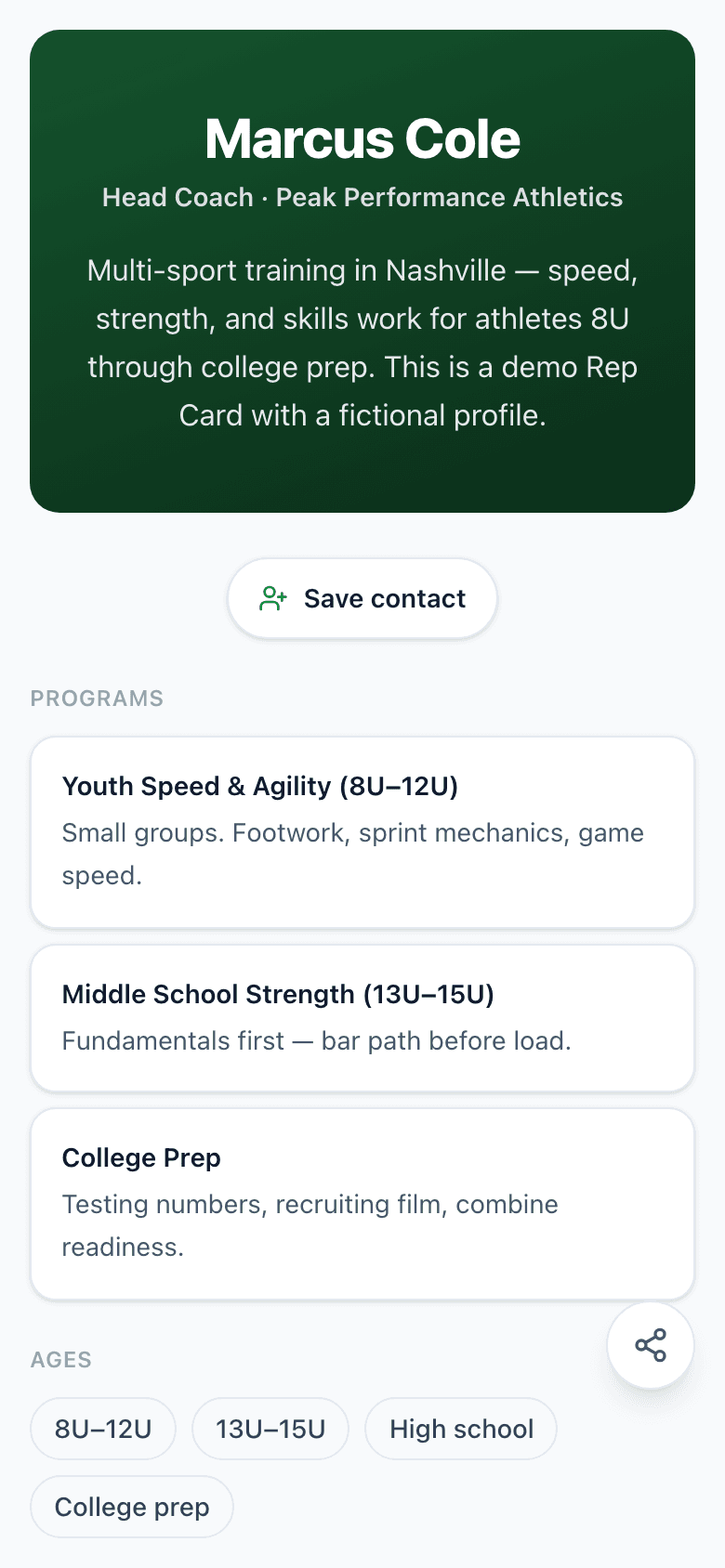
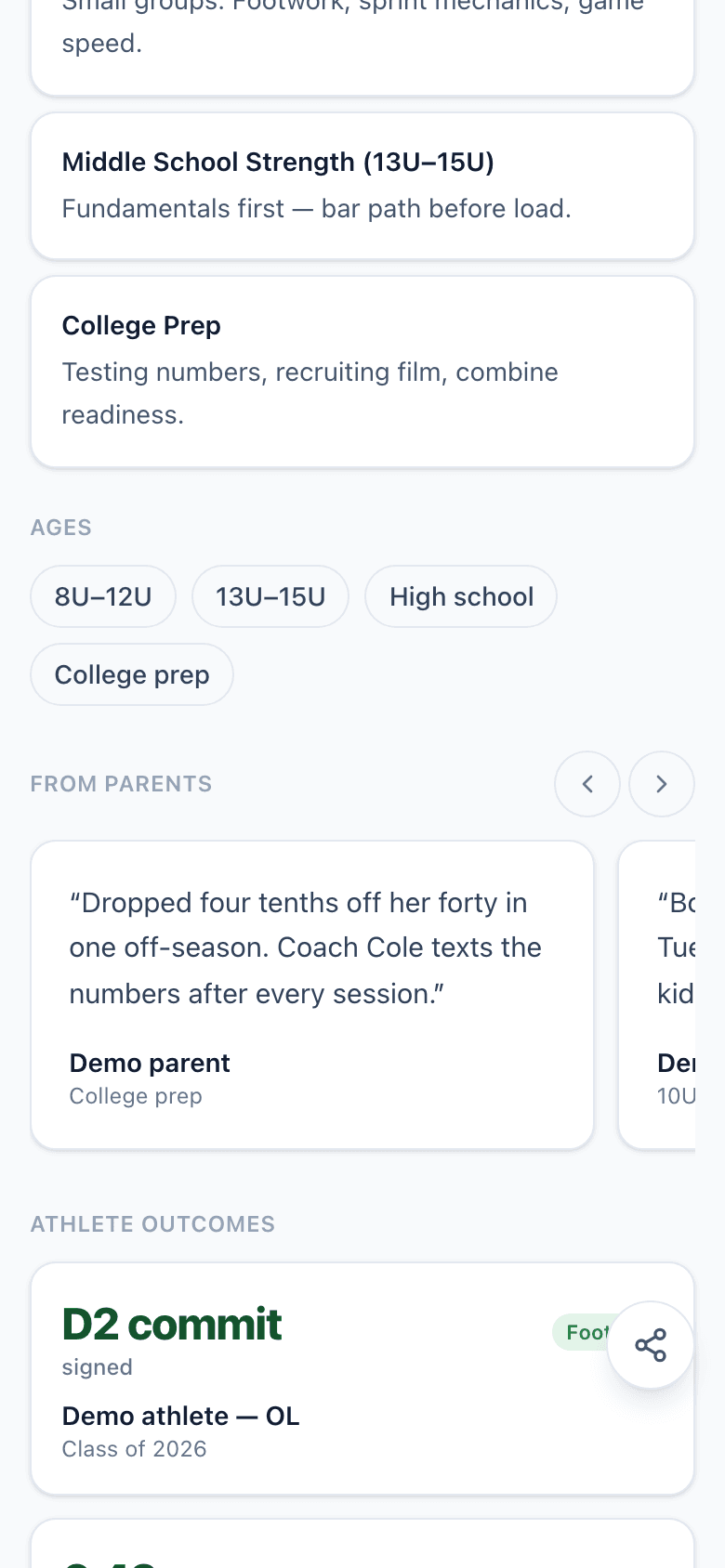
In their contacts before the first call.
Every card generates a vCard from your hero and contact blocks. A prospect taps “Save contact” and their phone offers to add you — name, title, company, number, and your card URL — before they've booked anything.
That's the follow-up problem half-solved: when you call next week, your name shows on their screen instead of an unknown number.
Marcus Cole
Head Coach · Peak Performance Athletics
Nashville, TN
16 blocks. Stack them your way.
Every block is typed, mobile-first, and renders in your brand colors. Drag them into the order that sells you.
Hero
Your face, your name, one line on what you do.
Contact strip
Phone, email, socials, and the save-my-contact button.
Booking button
One event type, one button. Opens your booking flow right on the card.
Booking picker
Several event types, visitor picks one. Each keeps its own workflow.
Schedule grid
Your weekly schedule as tappable time slots — the academy pattern.
Schedule Page
Show one of your Schedule Pages inside the card. Edit the page once, every card stays current.
Video
Loom, YouTube, Vimeo, Wistia, or Mux. Tap to play.
Testimonials
Quotes from people who paid you. Swipeable.
Case studies
Real results with real numbers.
Proof links
A tap-friendly list of pages that back you up.
Tags
Expertise, territory, industry — as chips.
Services
What you offer, one line each.
FAQ
Answer the questions people email you before booking.
Contact form
A short form that lands in your inbox and your contacts.
Text
Freeform markdown for anything the other blocks miss.
Divider
A visual break between sections.
The Schedule Reference block drops one of your Schedule Pages into the card — edit the schedule once, every card that references it updates.
Build yours in 5 minutes.
Pick a template, swap in your details, publish. Free plan, no credit card.
Goes well with
Common questions
What exactly is a Rep Card?
One page with your photo, intro, services, testimonials, case studies, and a booking button that opens right there. It replaces the bare scheduling link you paste into texts and emails — the prospect gets a reason to book, not just a time picker.
How many blocks can I use?
16 block types: hero, contact strip, three booking flavors, schedule reference, video, testimonials, case studies, links, tags, services, FAQ, contact form, rich text, and dividers. Free plans get a 3-block card; paid plans open all of them.
Does the vCard really save to their phone?
Yes. Every card generates a standard .vcf from your hero and contact blocks. On iPhone and Android, one tap opens the native Add to Contacts prompt with your name, title, company, number, and the card URL already filled in.
Can I put it on my own domain?
Free plans get buildoutschedule.com/you/card. Pro gets you.card.buildoutschedule.com. Team plans point card.yourbrand.com at it — you add one CNAME and SSL issues on its own.
Do I have to design anything?
No. Pick a template — coach, consultant, creator, sales rep, and seven more — and the block order is already right for your work. The card inherits your workspace brand colors. You swap in your photo and your numbers.
What do I see after I share it?
The funnel: views, booking starts, completed bookings, vCard downloads, and which block converts. Your card and your calendar share one system, so the analytics connect all the way through to the booked meeting.