Compare
Buildout Schedule vs Cal.com
Cal.com is the developer favorite: a generous free tier and a real API. It is also a different product since April 2026, when the codebase went from open source to proprietary. The comparison below covers who each one is actually built for.
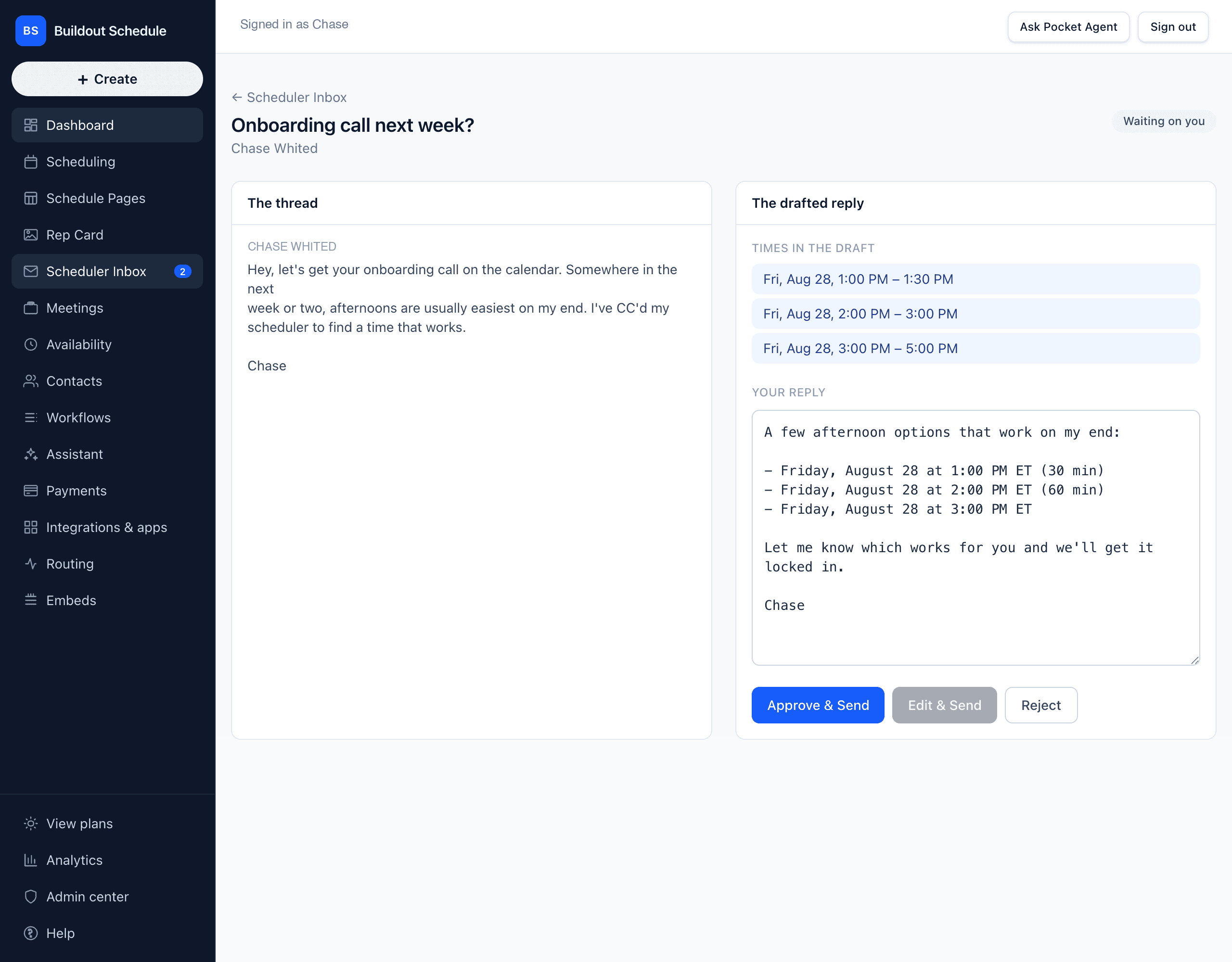
AI drafts scheduling replies inside a real email thread
- Buildout Schedule
- Cal.com
AI voice agent for phone calls
- Buildout Schedule
- Cal.com
- Cal.ai, separate product
AI rebooking on cancellations
- Buildout Schedule
- Cal.com
Free plan meeting types
- Buildout Schedule
- 1
- Cal.com
- Unlimited
Flat solo price
- Buildout Schedule
- $9/mo (Solo)
- Cal.com
- Free for one person
Landing page around your link (Rep Card)
- Buildout Schedule
- Cal.com
Every event type on one page (Schedule Page)
- Buildout Schedule
- Cal.com
One-pick vertical templates
- Buildout Schedule
- Cal.com
Embeddable booking widget
- Buildout Schedule
- Cal.com
Public REST API
- Buildout Schedule
- No. MCP tools for AI agents instead
- Cal.com
Payments at booking, 0% platform fee
- Buildout Schedule
- Cal.com
- Via app store, plan-dependent
Open source
- Buildout Schedule
- Cal.com
- No, closed since April 2026
Languages
- Buildout Schedule
- English
- Cal.com
- Multilingual
| Feature | Buildout Schedule | Cal.com |
|---|---|---|
| AI drafts scheduling replies inside a real email thread | ||
| AI voice agent for phone calls | Cal.ai, separate product | |
| AI rebooking on cancellations | ||
| Free plan meeting types | 1 | Unlimited |
| Flat solo price | $9/mo (Solo) | Free for one person |
| Landing page around your link (Rep Card) | ||
| Every event type on one page (Schedule Page) | ||
| One-pick vertical templates | ||
| Embeddable booking widget | ||
| Public REST API | No. MCP tools for AI agents instead | |
| Payments at booking, 0% platform fee | Via app store, plan-dependent | |
| Open source | No, closed since April 2026 | |
| Languages | English | Multilingual |
Pricing, side by side
| Plan | Buildout Schedule | Cal.com |
|---|---|---|
| Free | $0. One meeting type, full booking flow. | $0. Unlimited event types for one person. |
| One person | Solo, $9/mo flat | $0 |
| Team | Team, $30/person/mo | Teams, $12/user/mo billed annually |
| Enterprise / platform | Custom, plus a metered AI-agent plan from $997/mo | Custom |
Cal.com prices as published on cal.com on August 26, 2026. Their free and team tiers undercut ours on sticker price; what you are buying here is the AI inbox, the page stack, and a product that does not expect a developer in the loop.
Where Cal.com is strong
The free tier is the most generous in the category: unlimited event types, calendars, and workflows for an individual. Developers get a real REST API, webhooks, and embeddable components for building custom booking flows, and the platform tier exists for exactly that. The Calendly importer is productized, and the multilingual coverage is wide.
Where we differ
Cal.com is a tool built by developers that expects some developer in you; its most common complaints are setup difficulty and a settings maze. Buildout Schedule is built for the operator: pick a template, get a working Rep Card, Schedule Page, and session types in one pick, and edit from there. Their AI is a phone voice agent sold beside the scheduler. Ours lives where your scheduling actually happens: CC it on the email thread and approve the drafted reply. And the identity Cal.com sold, open source you could trust and self-host, ended in April 2026. If that was your reason for picking them, the reason is gone.
Who should stick with Cal.com
Developers embedding scheduling inside their own product through the API and platform tier. Individuals who need unlimited event types on $0. Teams booking in many languages. Those are real edges, and our free plan does not try to match their free plan on breadth.
Moving over from Cal.com
No importer between us today. The move is the same afternoon of work as any scheduler switch:
- Start free from a preset template, or build event types by hand: duration, buffers, minimum notice, intake.
- Connect Google or Microsoft. Busy blocks sync from the first minute.
- Publish the Schedule Page and Rep Card the template created, then swap the link in your signature and bio.
Common questions
Is Cal.com still open source?
The main codebase went proprietary in April 2026. The old code was forked as Cal.diy under MIT for personal, non-production use.
Does Buildout Schedule have an API like Cal.com?
Not a REST API today. We expose scheduling to AI agents over MCP, ship an embeddable booking widget, and run a metered Enterprise Agent Access plan for fleets of agents. If you need a classic REST API to build a custom booking product, Cal.com’s platform tier is the stronger pick.
How does setup compare?
Cal.com’s top review complaints are complex settings and setup difficulty. Buildout Schedule starts from a vertical template: one pick creates the Rep Card, Schedule Page, and session types, and you edit from there.
Related
Start from a template and skip the settings maze.
Free plan. No credit card. Not a trial.