Blog · How-to guides
How to share your booking link in person without typing it
QR codes on the things you already print, the share sheet mid-conversation, and a vCard that saves you into their phone as a name. The plays that book the person standing in front of you.
Chase Whited · July 16, 2026 · 5 min read
The easiest booking to lose is the person standing in front of you. They asked how to get on your calendar. You said "I'll text it to you later." Then the day happened — and either you forgot, or the text landed at 9 p.m. under forty other notifications and died unread. You had a warm lead at arm's length and converted them into a cold one on purpose.
"Later" is the failure. The fix is making the handoff happen in the conversation, in under ten seconds, without anyone typing a URL. Three plays do it: print, phone, and contact card.
Why "I'll text it to you later" loses
Every hour between the conversation and the link costs you. In the moment, the person is interested, standing still, and holding a phone. Later, they're someone who vaguely remembers meeting you, receiving a bare link from a number they never saved.
There's a second leak most people miss: "text it to you later" requires their number, which means they're typing, which means a typo, a "just call me," or a polite "I'll find you online." Every one of those is friction, and friction is where bookings go to die. The move is to reverse the direction — they take the link from you, right now, with a camera.
Play one: put a QR code on everything you already print
You already pay for printed things people look at. Put the code on them:
- Business cards. The back of the card is dead space on every card that doesn't have a QR code on it. "Scan to book" and the code — that's the whole back.
- Flyers and door hangers. A flyer without a code asks the reader to remember you until they're at a computer. A flyer with one gets scanned on the spot or stuck to the fridge as a scannable object.
- The truck or the storefront. A vehicle door with "Scan to book an estimate" works at every red light and every driveway you park in. It's the only ad you own that works while you're working.
- The booth or table banner. At a trade show, a market, a tournament — the person hovering at your booth while you're mid-conversation with someone else can book without waiting for you.
One rule: test the print size. A code that scans from a card in the hand needs to be about an inch; a code on a truck door needs to scan from ten feet. Scan every printed proof with your own phone before you approve the run. The QR and share tools generate the code straight off your page, so the code on the card and the link in your bio always point at the same place.
Play two: the share sheet, mid-conversation
Print covers the passive cases. The active case — a live conversation that turns to "how do I book you?" — runs off your phone. Open your page, tap share, and you get three handoffs:
- The full-screen QR. Turn your phone around and let them scan it. Ten seconds, no numbers exchanged, and their phone is looking at your booking page while you're still talking. This one wins almost every in-person moment.
- Copy link. For when the conversation is already in a text thread or a DM — paste it where the conversation lives.
- Native share. Hand the link to any app on your phone: text, email, whatever the other person actually uses.
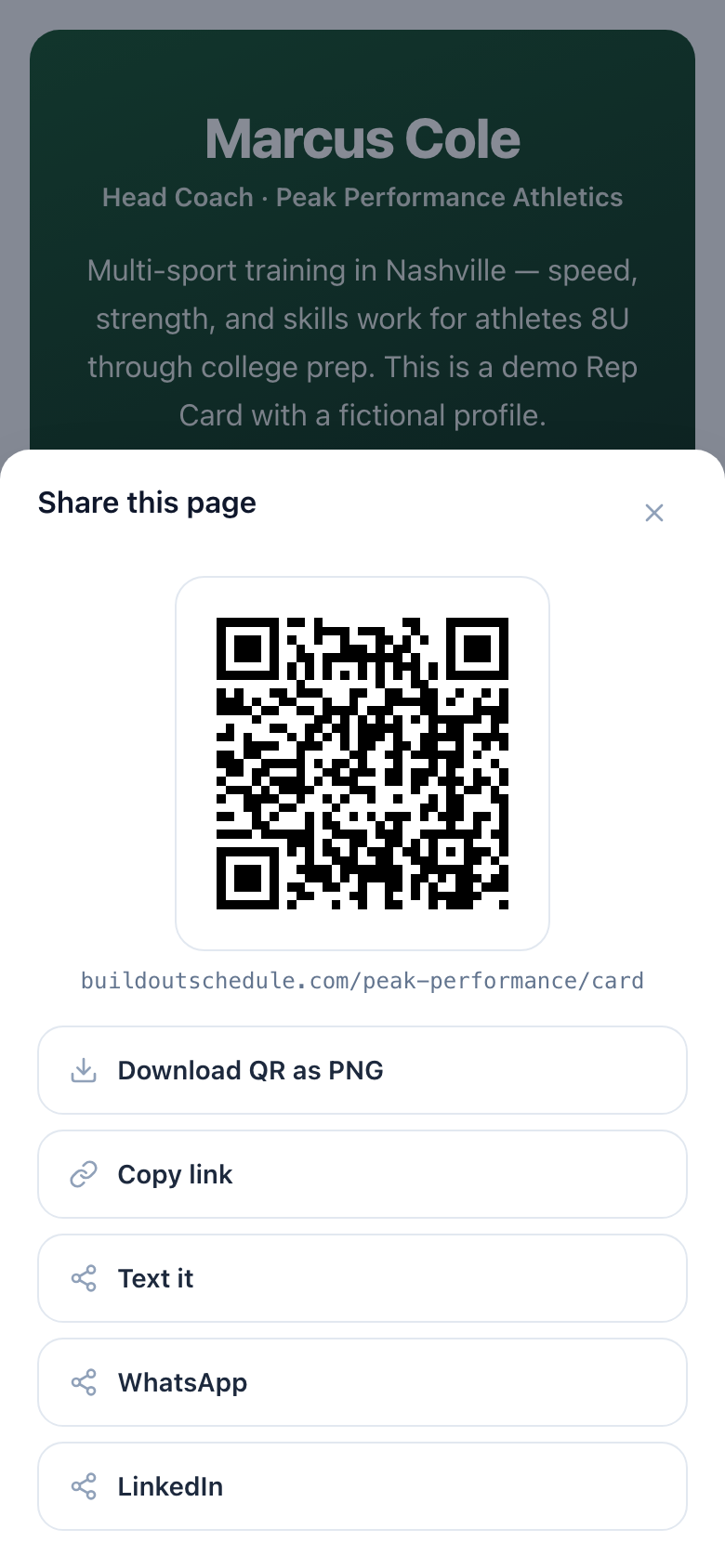
The difference between this and "I'll text it to you" is that the handoff completes inside the conversation. You watch them scan. You can even say "grab a time now if you want" — and some of them will, standing right there, which is a booking that never touched your follow-up list.
Play three: land in their phone as a name
Not everyone books on the spot, and that's fine — if you exist in their phone correctly. The save-my-contact button on your page downloads a vCard: your name, number, email, and your booking link, saved as a real contact.
This is quietly the highest-value tap on the page. Three weeks later, when they finally need you, the difference between "who was that guy at the show?" and a contact card named you with a book link in it is the difference between a search and a booking. Searches are where your competitors live. You also stop being an unknown number when you do call or text: you're a name on their screen, which gets answered.
Point everything at a page, not a bare calendar
One caution: a QR code that opens a naked scheduling grid wastes the scan. The person who scanned a truck door knows nothing about you yet. Send them to a Rep Card instead — your face, a short intro, proof of work, the save-my-contact button, and the book button all on one page. The scan answers "who is this?" and "why book them?" before asking for the booking.
This matters most for anyone whose customers meet them in the field. A contractor's truck-door code leading to before-and-after photos and a free-estimate button is a working pipeline — that whole setup is in booking free estimates that turn into jobs. The same logic runs for small businesses of every kind: the person in front of you is the cheapest lead you'll ever get, and the page behind the code decides what the scan is worth.
Run the loop yourself before you print anything
Close with a five-minute test. Scan your own code with your own phone, as a stranger:
- Does the page load fast on cell data, not just your office wifi?
- Does it say who you are and what you do in the first screen, before any scrolling?
- Can you get from scan to a confirmed booking in under a minute?
- Does save-my-contact download a card with the right name and number?
Fix what fails, then print. The next time someone standing in front of you asks how to book, turn your phone around.
Keep reading
- The 3 buttons every service business needs on a mobile booking page
A book button above the fold, a save-my-contact button, and a tap-to-call strip. Why each one earns its spot on a phone screen — and what to cut to make room.
- How to set up buffers and minimum notice without losing bookings
When a buffer should be 0, 10, or 30 minutes, how minimum notice trades same-day bookings for prep time, and the over-protected calendar that quietly shows nothing as available.
- How to write a booking page that converts
The copy on a booking page does more work than the calendar. What to say in the title, the description, and the button — with the rewrites that turn lookers into booked meetings.